
Download WordZap – Addictive Word Game, Puzzle Challenge, Online Multiplayer
Overview
WordZap is a competitive word-building game designed for players who enjoy mental challenges and fast-paced vocabulary play. The core objective is simple yet engaging: create seven valid words using a randomly generated set of letters before your opponent does. This format blends elements of strategy, language skill, and timing, making it ideal for casual gamers and word enthusiasts alike. The game is particularly suited for individuals looking to sharpen their vocabulary, improve spelling accuracy, and enjoy a quick, stimulating session on their smartphone or tablet.
WordZap addresses the need for brain-training entertainment that doesn’t require long commitments. It’s perfect for short breaks, travel, or social gaming sessions. The game’s structure encourages quick thinking and linguistic creativity, offering a refreshing alternative to repetitive mobile games. It fits well within the broader productivity and educational tool category, especially for users interested in language development and cognitive engagement.
The developer did not provide additional background information. However, the game has been available since 2013, indicating a long-standing presence in the mobile gaming ecosystem. Its continued relevance suggests a stable user base and consistent functionality over time. WordZap supports both local and online multiplayer experiences, enabling players to engage with friends or random opponents, which adds a social dimension to the gameplay. This makes it a versatile option for solo practice or competitive play.
Key Features & Functionality
- Competitive Word Creation: Players race to form seven valid words from a fixed set of randomly generated letters. This mechanic promotes rapid thinking and strategic word selection, turning each round into a mental sprint.
- Customizable Difficulty Levels: The game offers multiple vocabulary tiers and game modes, allowing users to adjust the challenge based on their skill level. This ensures accessibility for beginners while maintaining depth for advanced players.
- Multiplayer Connectivity: WordZap supports online multiplayer, enabling users to play against friends by sharing IP addresses or connect with random opponents. This feature enhances replayability and social interaction.
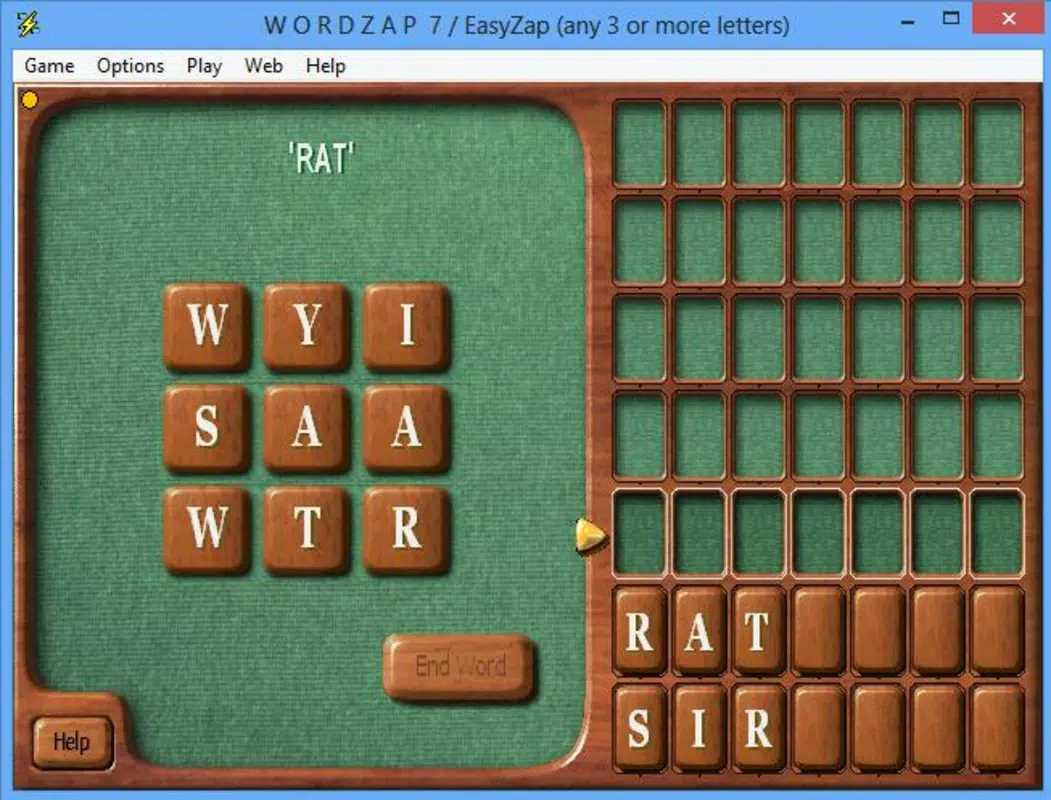
- Progress Tracking System: Completed words are automatically crossed off a visible list, providing immediate visual feedback. This system helps players track progress, maintain focus, and feel a sense of accomplishment with each completed word.
- Dynamic Letter Sets: Each game session begins with a new random selection of letters, ensuring no two rounds are identical. This variability keeps gameplay fresh and unpredictable.
For example, a player might receive the letters “T, R, A, P, E, S, L” and must quickly identify words like “trap,” “pear,” “past,” “lapse,” and “leapt.” The list-tracking feature helps them monitor which words they’ve used and which remain, adding a layer of strategy to the process. This functionality is especially useful in competitive matches where timing and word variety are critical.
Interface, UX & Performance
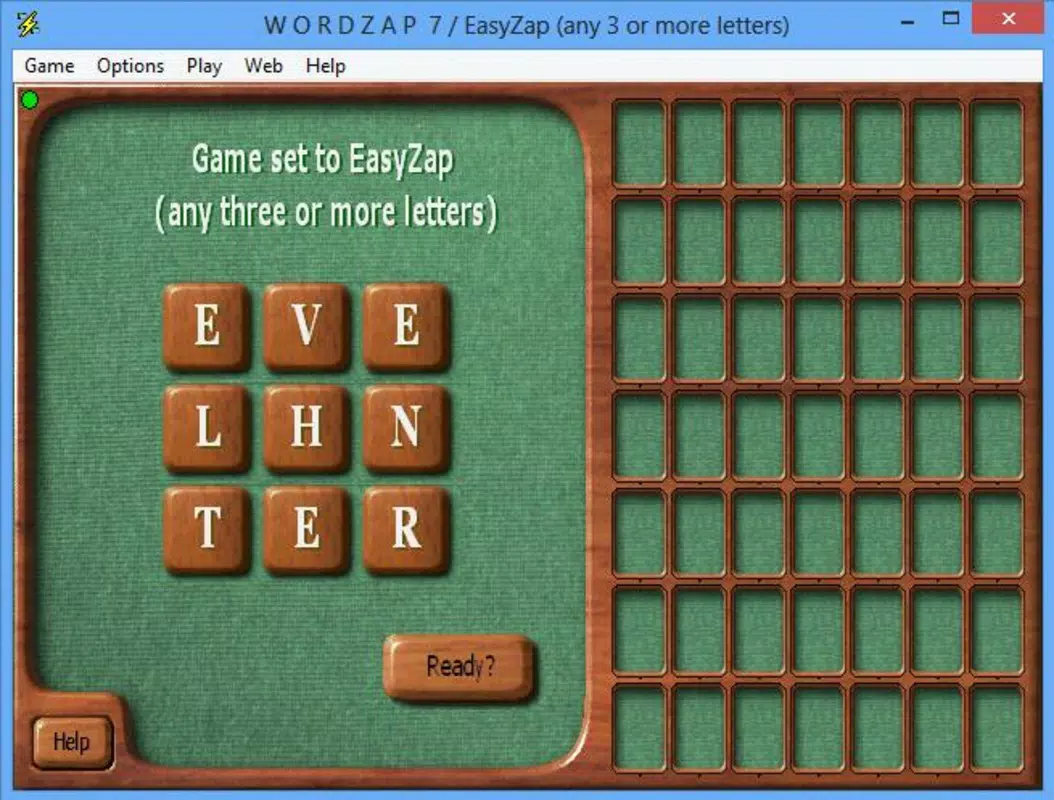
WordZap features a clean, minimalistic interface focused on usability and clarity. The main screen displays the letter set prominently, with a secondary panel listing the seven target words to be completed. The visual layout is intuitive, with clearly labeled buttons for actions such as submitting words and viewing progress.
Navigating through the game is straightforward. Players tap on letters to form words, which are then submitted for validation. The interface responds promptly to inputs, maintaining a smooth flow during gameplay. Although the developer did not list formal performance metrics, the app appears optimized for consistent responsiveness across various device categories, including mid-range smartphones and tablets.
Stability is a notable aspect, with no reported issues related to crashes or freezes. The app maintains a steady frame rate during active play, ensuring that the competitive nature of the game isn’t disrupted by lag or delays. The user experience is further enhanced by the visual feedback provided when a word is successfully submitted—each completed word is crossed off the list with a subtle animation.
Platform Compatibility & Technical Requirements
WordZap is available on Android, supporting the latest version of the operating system. The app has a file size of 25.6 MB, which is relatively lightweight for a mobile game with multiplayer capabilities. This makes it accessible even on devices with limited storage space.
The developer did not specify minimum OS requirements or compatibility details beyond the platform. Users should ensure their device runs a recent version of Android to avoid potential issues. No specific hardware requirements were listed, suggesting broad compatibility with standard mobile devices.
Pros and Cons
Pros
- Engaging, fast-paced word-building gameplay that stimulates mental agility.
- Customizable difficulty levels allow for a personalized experience across skill tiers.
- Supports online multiplayer with friends via IP sharing, enhancing social interaction.
- Visual progress tracking with a clear list of completed words improves focus and satisfaction.
- Lightweight file size (25.6 MB) ensures easy installation and low storage impact.
Cons
- Multiplayer functionality requires sharing IP addresses, which may be inconvenient for casual users.
- No in-app friend list or matchmaking system to simplify online connections.
- Developer did not provide details on performance optimization or device compatibility.
- Game mode options were not fully disclosed, limiting insight into advanced features.
- Interface design appears dated, potentially affecting appeal for users seeking modern visuals.
FAQ
Is WordZap free to download and play?
Yes, WordZap is available for free download. The app does not require a subscription or in-app purchases to access core gameplay features.
Can I play WordZap offline?
While the app supports online multiplayer, the core word-building mechanics can be played offline. However, multiplayer modes require an internet connection.
How do I connect with friends to play online?
To play with friends, you must share your IP address or receive theirs. This allows direct connection between devices during a match.
Is the game safe to install on Android devices?
Yes, WordZap is a secure mobile app. It does not request unnecessary permissions and has no known security risks as reported by users.
How often is WordZap updated?
Update frequency is not publicly disclosed. However, the app has remained functional since its release in 2013, indicating ongoing maintenance.
Final Thoughts
WordZap stands out as a durable, brain-boosting mobile game that combines vocabulary mastery with competitive play. Its simple yet effective design makes it accessible to a wide audience, from students building language skills to adults seeking a mental workout. The ability to customize difficulty and engage in online matches adds long-term value, ensuring the game remains engaging over time.
While the interface may feel outdated and the multiplayer setup slightly cumbersome, the core gameplay remains strong and rewarding. For users who enjoy word puzzles, quick thinking, and friendly competition, WordZap delivers consistent entertainment. It’s a reliable tool for improving vocabulary and sharpening cognitive reflexes in a fun, interactive way.
Download WordZap now


